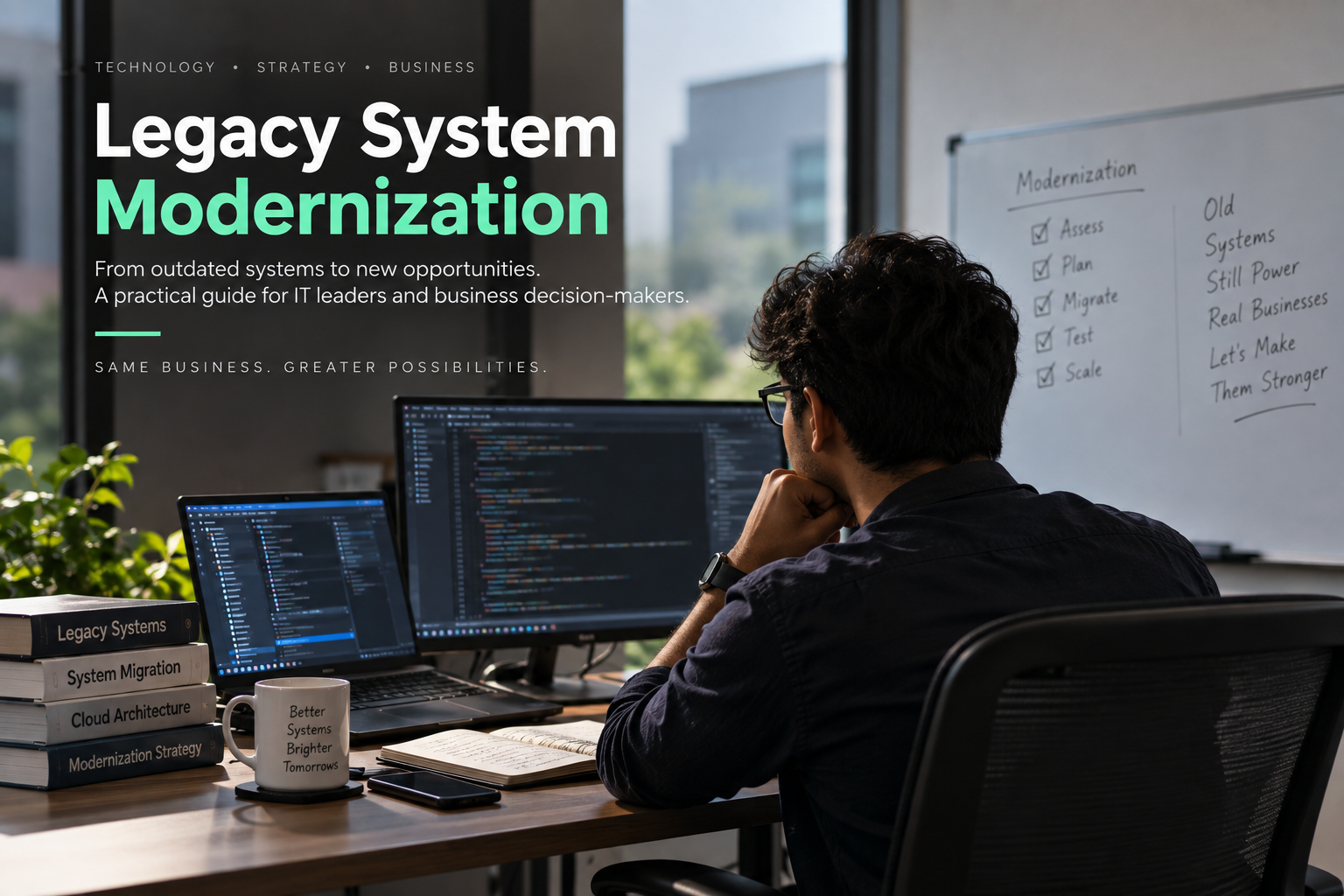
Legacy System Modernization: A Complete Guide to the 5R Strategies for Enterprise IT
Researched by Balaji | BroskiesHub
Legacy systems remain at the heart of many enterprise operations, supporting critical business functions across banking, healthcare, manufacturing, retail, and government. However, aging applications, outdated infrastructure, rising maintenance costs, and tightly coupled architectures can make it increasingly difficult for organizations to innovate and respond to changing business requirements.
For many enterprises, the challenge is no longer whether to modernize legacy technology, but which modernization strategy will deliver the greatest business value with the lowest acceptable risk.
Some applications can be moved to the cloud with minimal changes. Others require runtime upgrades, architectural redesign, or replacement with modern software-as-a-service (SaaS) platforms. In certain cases, the most effective strategy is to retire an application that no longer provides sufficient business value.
This is where the five primary legacy modernization strategies—Rehosting, Refactoring, Rearchitecting, Replacement, and Retirement—become essential.
In this guide, researched by Balaji at BroskiesHub, we examine these five approaches, compare their costs and implementation complexity, explore enterprise case studies, and explain how organizations can select the right modernization path for each application.
For more insights into enterprise architecture, cloud technologies, and software engineering, visit BroskiesHub.
What Is Legacy System Modernization?
Legacy system modernization is the process of improving, transforming, replacing, or retiring existing software systems and their supporting infrastructure to better meet current business, technical, and operational requirements.
Legacy applications may run on mainframes, aging client-server environments, monolithic Java or .NET platforms, proprietary databases, or infrastructure that has become difficult to maintain.
Although these systems may continue to support essential business processes, they can introduce several challenges:
High infrastructure and software maintenance costs.
Limited scalability and deployment flexibility.
Security vulnerabilities caused by unsupported technologies.
Dependence on specialized technical skills.
Slow software release cycles.
Complex integrations and undocumented dependencies.
Difficulty adopting modern cloud-native capabilities.
The research report highlights a significant financial concern: established enterprises may spend 60%–80% of their IT budgets maintaining existing systems and operations. This figure should be treated as a broad benchmark cited by the report rather than a universal percentage applicable to every organization.
Modernization helps organizations address these challenges by matching each application with an appropriate technical and economic strategy.
Why Is Legacy Modernization Important for Enterprises?
Legacy modernization is not simply a technology upgrade. It is a business decision that affects cost management, operational resilience, security, and the ability to deliver new digital services.
1. Reduce technical debt and maintenance costs
Older systems often require extensive manual support, specialized licenses, and custom integrations. Modernization can reduce these burdens when the target architecture and operating model are designed appropriately.
2. Improve scalability and performance
Cloud infrastructure, managed databases, containers, and distributed architectures can provide more flexible scaling options than traditional fixed-capacity infrastructure.
The actual benefit depends on workload characteristics, architecture, and implementation quality.
3. Strengthen security and operational resilience
Modernization can enable improved identity controls, automated patching, centralized observability, stronger encryption, and more consistent deployment practices.
However, moving an application to the cloud without addressing its underlying weaknesses does not automatically eliminate security risks.
4. Accelerate software delivery
Modern deployment pipelines, automated testing, containerized environments, and independent services can help teams release changes more frequently and predictably.
5. Focus engineering investment on business value
Not every legacy application deserves a major modernization investment. Some applications provide unique competitive advantages, while others deliver standard business capabilities or no longer serve a meaningful purpose.
A structured portfolio strategy helps enterprises allocate engineering resources where they can create the greatest value.
Understanding the 5R Legacy Modernization Framework
The five modernization strategies represent different approaches to managing existing enterprise applications.
<text color="secondary" size="sm">The comparison below follows the strategy definitions and trade-offs presented in the research report.</text>
StrategyPrimary objectiveTypical duration in the reportInvestment profileRehostingMove applications to new infrastructure with minimal architectural change1–6 monthsLowRefactoringImprove runtime, frameworks, and deployment practices6–18 monthsModerateRearchitectingRedesign applications for cloud-native operation and business agility18–36+ monthsHigh to very highReplacementReplace custom applications with commercial or SaaS alternatives6–24 monthsModerate to highRetirementPermanently decommission unnecessary applications1–6 monthsVery low
These durations are indicative estimates from the report, not guaranteed delivery schedules. Actual timelines depend on system complexity, dependencies, data migration requirements, regulatory obligations, and organizational readiness.
1. Rehosting: Move Legacy Applications to the Cloud
<AsyncImage query="enterprise cloud infrastructure migration architecture servers data center to cloud computing" aspectRatio="16:9" width="100%" />
Rehosting, commonly called lift and shift, moves an application from its existing infrastructure to a new hosting environment without substantially changing its code or architecture.
For example, an enterprise might migrate an application running on physical servers into virtual machines on Amazon Web Services (AWS), Microsoft Azure, or Google Cloud.
How rehosting works
A typical rehosting project involves:
Discovering the source infrastructure and application dependencies.
Preparing the destination cloud environment.
Replicating application data and storage.
Configuring networking, access controls, and monitoring.
Testing the migrated workload.
Executing the cutover and validating operations.
Migration services and automated replication tools can reduce the manual effort involved in moving large numbers of workloads.
Benefits of rehosting
Faster infrastructure migration than a complete rewrite.
Reduced dependence on aging physical data centers.
Potential avoidance of hardware refresh expenditure.
A foundation for subsequent cloud optimization.
Limited changes to established business logic.
Limitations and risks
Rehosting does not eliminate existing architectural weaknesses. A tightly coupled monolithic application remains tightly coupled after migration.
Cloud costs can also increase if organizations reproduce oversized on-premises configurations without rightsizing resources or adopting appropriate purchasing and scaling strategies.
For this reason, rehosting is often most useful when an organization needs to exit a data center quickly or establish a new infrastructure baseline before undertaking deeper modernization.
Enterprise example: General Electric
The report discusses General Electric's large-scale AWS migration, describing a program involving more than 9,000 workloads and over 300 ERP instances, alongside the closure of more than 30 data centers.
The case illustrates the role rehosting can play in consolidating infrastructure and accelerating enterprise cloud adoption. It also highlights the importance of distinguishing infrastructure migration from the subsequent work required to improve application architecture and operating costs.
Best suited for: Applications requiring rapid infrastructure relocation, workloads facing data center deadlines, and systems that are candidates for later optimization.
2. Refactoring: Modernize the Runtime Without Rebuilding Everything
<AsyncImage query="software engineers modernizing legacy application with Docker containers Kubernetes cloud architecture on computer screens" aspectRatio="16:9" width="100%" />
Refactoring improves an application's internal implementation or execution environment while preserving much of its existing business logic and overall structure.
In the report's framework, this strategy includes runtime modernization, containerization, framework upgrades, and migration to managed database services.
Unlike pure rehosting, refactoring makes targeted technical changes to improve maintainability, deployment, and operations.
Common refactoring techniques
Containerization: Package applications and their dependencies into standardized containers that can run consistently across environments.
Runtime upgrades: Move older application runtimes and frameworks to supported alternatives.
Managed database adoption: Replace self-managed database infrastructure with an appropriate managed database service.
Continuous integration and delivery: Introduce automated build, testing, and deployment processes.
Observability improvements: Integrate application metrics, logs, and distributed tracing where appropriate.
Benefits of refactoring
Better deployment consistency.
Reduced infrastructure administration.
Improved compatibility with modern development pipelines.
Opportunities to reduce obsolete middleware dependencies.
Incremental improvements without replacing all business logic.
Limitations and risks
Refactoring does not automatically resolve deep architectural problems.
For example, placing a monolithic application inside containers does not eliminate shared database bottlenecks, poorly defined business boundaries, or tightly coupled modules.
Teams should distinguish between problems that can be solved through runtime improvements and those that require a more fundamental redesign.
Enterprise example: Ticketmaster
The report presents Ticketmaster as an example of modernizing a legacy ticketing engine through containerization and contemporary deployment practices.
The central lesson is that modern infrastructure and delivery mechanisms can improve the operational flexibility of existing software without requiring an immediate, wholesale rewrite of its core functionality.
Best suited for: Applications with valuable, reasonably stable business logic that need better deployment practices, runtime support, or operational efficiency.
3. Rearchitecting: Transform Monolithic Systems Into Cloud-Native Applications
<AsyncImage query="cloud native microservices architecture diagram API gateway event streaming independent services databases" aspectRatio="16:9" width="100%" />
Rearchitecting is the most extensive of the five strategies. It changes the fundamental structure of an application to support requirements such as independent deployment, elastic scaling, distributed processing, and faster feature delivery.
A common example is decomposing a large monolithic application into smaller services organized around distinct business capabilities.
Core architectural principles
Domain-Driven Design (DDD): Organize software around business domains and bounded contexts rather than merely splitting code by technical layer.
Microservices: Separate selected business capabilities into services with clearly defined responsibilities.
Event-driven architecture: Use asynchronous events and messaging to reduce unnecessary direct coupling between services.
Change Data Capture (CDC): Capture changes from existing databases to support synchronization and transition workflows.
Polyglot persistence: Select data storage technologies according to individual services' requirements rather than assuming one database design fits every workload.
Saga pattern: Coordinate distributed business transactions through sequences of local transactions and compensating actions where appropriate.
Benefits of rearchitecting
Greater flexibility for independent service deployment.
Improved ability to scale selected components.
Better alignment between software boundaries and business capabilities.
Opportunities for continuous delivery and independent team ownership.
Reduced dependence on a single monolithic deployment unit.
Limitations and risks
Rearchitecting requires substantial engineering investment and organizational coordination.
Distributed systems introduce new challenges involving network latency, observability, data consistency, service failures, and operational complexity.
Poorly designed microservices can create a distributed monolith: an architecture with the complexity of distributed systems but little genuine service independence.
For this reason, rearchitecting should be reserved for applications whose business value and future requirements justify the investment.
Enterprise examples: Netflix, Capital One, and DBS Bank
The report examines three organizations to illustrate different aspects of cloud-native transformation.
Netflix: Its evolution toward distributed services illustrates the importance of scalable cloud infrastructure, service resilience, and fault-tolerant engineering.
Capital One: Its cloud transformation demonstrates the relationship between infrastructure migration, application redesign, and automated delivery practices.
DBS Bank: The report describes its GANDALF strategy as an example of a broader shift toward cloud-native services and digital banking capabilities.
These cases provide architectural examples rather than proof that the same implementation or financial outcome will apply to every enterprise.
Best suited for: Core business applications where differentiation, continuous innovation, independent scaling, or faster delivery justifies substantial architectural change.
4. Replacement: Adopt Modern SaaS or Commercial Software
<AsyncImage query="enterprise SaaS business software dashboard CRM ERP modern office laptop" aspectRatio="16:9" width="100%" />
Replacement involves retiring an existing application and adopting a commercial off-the-shelf (COTS) product or SaaS platform that provides equivalent business capabilities.
Instead of maintaining custom software for standard functions, an organization can adopt a product designed and maintained by a specialized vendor.
Common candidates include human resources management, customer relationship management, procurement, expense management, and other standardized enterprise functions.
How replacement works
A replacement project typically includes:
Mapping existing business processes and requirements.
Evaluating candidate products and vendor capabilities.
Identifying functional gaps and necessary process changes.
Cleaning and migrating legacy data.
Integrating the new platform with surviving enterprise systems.
Testing workflows, access controls, and reporting.
Retiring the old application after validation and approval.
Benefits of replacement
Reduced need to maintain custom application code.
Access to vendor-managed product updates.
Standardized business processes.
Potentially improved user experience.
Opportunities to redirect engineering capacity toward differentiating capabilities.
Limitations and risks
Replacement transfers some responsibilities to the software vendor, but it does not eliminate every technology risk.
Organizations must consider:
Vendor lock-in and future pricing changes.
Subscription and consumption costs.
Data portability and exit requirements.
Integration complexity.
Customization that recreates legacy technical debt.
Dependence on the vendor's service availability and release schedule.
A replacement strategy is most effective when the organization is willing to adopt appropriate standard processes rather than reproduce every legacy customization.
Enterprise example: Unilever
The report discusses Unilever's move toward a unified Workday environment as an example of replacing fragmented regional HR systems with a more standardized platform.
The case illustrates how replacement can simplify application portfolios and improve consistency across business units when supported by suitable process alignment and integration planning.
Best suited for: Standard business capabilities that do not require extensive proprietary software development to create competitive advantage.
5. Retirement: Eliminate Applications That No Longer Provide Value
<AsyncImage query="enterprise IT infrastructure decommissioning server racks data center equipment retirement" aspectRatio="16:9" width="100%" />
Retirement is the deliberate removal of an application that is redundant, obsolete, unused, or no longer justified by its business value.
Although modernization discussions often focus on building new systems, eliminating unnecessary applications can be one of the most direct ways to reduce operational complexity.
Legacy environments frequently contain redundant departmental tools, abandoned databases, duplicate reporting applications, and systems that remain active because no one has formally approved their removal.
How to retire a legacy application
Step 1: Identify candidates. Evaluate business value, usage, cost, technical health, and regulatory obligations.
Step 2: Map dependencies. Inspect network activity, database connections, scheduled jobs, APIs, and downstream consumers.
Step 3: Preserve required data. Archive historical records in suitable formats with the necessary metadata and access controls.
Step 4: Validate replacement readiness. Confirm that active business responsibilities have been transferred or are no longer required.
Step 5: Conduct controlled isolation. Use read-only restrictions, monitored traffic redirection, or staged shutdown procedures to identify hidden dependencies.
Step 6: Remove access and infrastructure. Revoke credentials, remove obsolete network rules, sanitize storage, and deprovision unused resources.
Step 7: Complete governance and commercial closure. Update asset inventories, retain evidence, and terminate applicable contracts and licenses.
Benefits of retirement
Eliminates unnecessary application maintenance.
Reduces the number of systems requiring security oversight.
Releases infrastructure and license capacity.
Simplifies application portfolio management.
Frees engineers to focus on systems that still deliver business value.
Enterprise example: AstraZeneca
The report describes AstraZeneca's application rationalization program as an example of large-scale retirement, citing the decommissioning of more than 600 legacy applications.
The example illustrates the potential value of identifying redundant or obsolete applications across a large enterprise portfolio rather than treating modernization solely as a process of moving or rebuilding software.
Best suited for: Redundant, unused, low-value, or technically unviable applications whose business responsibilities and data-retention obligations have been addressed.
For more articles about enterprise modernization and software architecture, visit BroskiesHub.
How to Choose the Right Legacy Modernization Strategy
The five strategies are complementary. A successful enterprise modernization program does not need to apply the same approach to every application.
Instead, organizations should evaluate each workload according to its business value, technical viability, risk, cost, and future requirements.
Use business value and technical viability as decision criteria
Business valueTechnical viabilityPotential strategyHighHighRefactoring or selective rehostingHighLowRearchitecting or replacementLowHighRehosting, consolidation, or limited maintenanceLowLowRetirement, subject to dependency and compliance checks
This matrix provides an initial direction rather than an automatic decision.
For example, an application with high business value and poor technical health may justify rearchitecting if it contains proprietary capabilities central to the organization's competitive position. If the same capability is widely available as a commercial product, replacement may be more economical.
Similarly, a low-value application should not be retired until its dependencies, records, and outstanding business obligations have been addressed.
Consider these six factors before deciding
Business criticality: How important is the application to customers, revenue, and essential operations?
Technical health: How maintainable, stable, documented, and secure is the existing system?
Total cost of ownership: What does the system cost to operate, and what will modernization or retirement cost?
Implementation risk: What disruption could occur during migration or transition?
Future requirements: Does the business need greater scalability, agility, integration, or feature delivery speed?
Compliance and data obligations: What information must be retained, and what controls must be maintained?
This approach supports more informed investment decisions and helps prevent unnecessary rewrites or migrations that do not deliver sufficient business value.
Comparative Analysis: Which Strategy Offers the Best Value?
Each modernization strategy creates a different balance between speed, investment, risk, and long-term architectural improvement.
Evaluation factorRehostingRefactoringRearchitectingReplacementRetirementSpeedGenerally highModerateGenerally lowVariableGenerally highInitial investmentLowModerateHigh to very highModerate to highLowArchitectural changeMinimalModerateExtensiveExtensive change to the application landscapeComplete removalPotential agility improvementLimitedModerateHighDepends on product and integrationRemoves unnecessary workloadPrimary riskCloud cost inflationUnresolved structural debtComplexity and delivery delaysVendor lock-in and integrationHidden dependencies and retention gapsKey follow-upCloud cost optimizationTesting and runtime improvementObservability and distributed-systems governanceVendor and API governanceSecure decommissioning
The best option depends on the workload and the organization's goals.
Rehosting may be the right choice when a data center must close quickly. Refactoring may be appropriate when the existing logic is sound but the runtime is outdated. Rearchitecting can support core differentiating capabilities. Replacement can standardize commodity business processes. Retirement removes systems that no longer justify their ongoing cost.
Building an Enterprise Modernization Roadmap
A structured roadmap helps organizations coordinate modernization decisions across a diverse application portfolio.
Phase 1: Discover and assess the portfolio
Build an inventory of applications, infrastructure, interfaces, owners, dependencies, operating costs, and business functions.
Use current evidence to identify redundant workloads and evaluate technical health.
Phase 2: Classify applications
Apply a portfolio framework such as the TIME model to categorize applications according to business value and technical viability.
Select a preliminary strategy for each application and document the reasoning.
Phase 3: Build the financial case
Estimate implementation costs, ongoing operating costs, transition expenses, and expected savings.
Where appropriate, use multi-year TCO analysis, NPV, and IRR to compare alternatives. Clearly document assumptions and distinguish estimated benefits from realized savings.
Phase 4: Prioritize and sequence workloads
Prioritize initiatives according to business urgency, risk, dependencies, expected value, and available resources.
Avoid scheduling tightly coupled systems for independent cutover without first understanding their relationships.
Phase 5: Execute controlled modernization
Use automated testing, progressive delivery, canary deployments, and rollback mechanisms where appropriate.
For migration projects, validate data integrity and operational behavior before transferring full production responsibility.
Phase 6: Optimize and govern continuously
After migration, monitor costs, performance, security, reliability, and deployment outcomes.
Cloud migration should be followed by appropriate optimization, while modernized applications should remain subject to ongoing portfolio review.
This continuous approach helps prevent today's modern systems from becoming tomorrow's legacy liabilities.
Three Cross-Cutting Practices That Improve Modernization Outcomes
1. FinOps and economic accountability
Cloud adoption changes the relationship between infrastructure consumption and IT spending. Organizations need clear cost ownership, appropriate resource sizing, and continuous monitoring.
FinOps practices can help engineering and finance teams evaluate cost per transaction, customer, or business outcome instead of focusing only on aggregate infrastructure expenditure.
2. Organizational alignment
Architecture and organizational structure influence one another. A move to independent services requires clear ownership, cross-functional collaboration, suitable engineering skills, and reliable operational practices.
Modernizing software without addressing organizational bottlenecks can limit the benefits of the new architecture.
3. Progressive delivery and automated testing
Automated tests, canary releases, blue-green deployments, and monitored rollbacks can reduce the risks associated with modernization.
Changes should be introduced in controlled increments wherever practical, with predefined criteria for stopping or reversing a deployment if results fall outside acceptable thresholds.
The Future of Legacy Modernization: AI and Automated Engineering
The research report also highlights the growing role of artificial intelligence in modernization initiatives.
Potential applications include:
Analyzing large legacy codebases to identify dependencies.
Extracting business rules from poorly documented applications.
Generating data lineage maps and technical documentation.
Assisting with unit-test and regression-test generation.
Supporting code translation and refactoring.
Identifying patterns that inform modernization decisions.
These capabilities may reduce some manual discovery and implementation work. However, AI-generated outputs require verification, particularly where applications contain complex business rules or support critical transactions.
AI cannot independently determine an organization's business priorities, acceptable risk, regulatory obligations, or optimal architectural boundaries. Those decisions still require human judgment, domain expertise, and accountable governance.
Frequently Asked Questions (FAQs)
What are the five main strategies for legacy system modernization?
The five strategies covered in this report are Rehosting, Refactoring, Rearchitecting, Replacement, and Retirement. They range from moving applications with minimal changes to redesigning, replacing, or permanently removing them.
Which legacy modernization strategy is the fastest?
Rehosting and Retirement are often among the faster approaches in the report's framework, with indicative durations of one to six months. Actual timing depends on system complexity, dependencies, compliance requirements, and the scope of the work.
Is rehosting enough to modernize a legacy application?
Not necessarily. Rehosting changes the infrastructure but generally preserves the application's existing code and architectural limitations. Organizations may need subsequent refactoring or rearchitecting to improve agility and eliminate structural technical debt.
What is the difference between refactoring and rearchitecting?
Refactoring makes targeted improvements to an application's code structure, runtime, or supporting environment while retaining much of its existing design. Rearchitecting changes the fundamental application structure, potentially introducing domain-oriented services, event-driven communication, and independently managed data stores.
When should an enterprise replace a legacy application?
Replacement is often appropriate when an application provides a standardized business capability that can be supported by a suitable commercial or SaaS platform. Vendor costs, integration needs, customization, data portability, and business-process changes should be evaluated before making the decision.
Why is application retirement important?
Retirement eliminates applications that no longer provide sufficient business value. It can reduce maintenance costs, remove unnecessary security exposure, simplify operations, and release infrastructure capacity.
How can organizations reduce the risk of modernization?
Organizations can reduce risk through dependency mapping, data validation, automated testing, progressive delivery, rollback planning, clear ownership, and ongoing financial and operational monitoring.
Does cloud migration always reduce costs?
No. Cloud migration can reduce some infrastructure and maintenance expenses, but poorly optimized workloads can increase operating costs. Appropriate sizing, consumption monitoring, and financial governance are important after migration.
Conclusion: Choose the Modernization Strategy That Fits the Business
Legacy system modernization is not a single technology project. It is an ongoing enterprise architecture discipline that combines technical evaluation, financial analysis, operational risk management, and organizational planning.
The five strategies offer different paths toward that goal:
Rehosting helps move workloads away from aging infrastructure.
Refactoring modernizes runtimes and deployment practices.
Rearchitecting enables deeper architectural change for important business capabilities.
Replacement shifts standardized functions to suitable commercial platforms.
Retirement eliminates applications that no longer justify their ongoing cost.
No single strategy is best for every application. Enterprises should assess business value, technical viability, implementation complexity, total cost of ownership, and future requirements before deciding how to proceed.
A balanced portfolio approach allows organizations to modernize critical systems, standardize commodity capabilities, and retire unnecessary applications without imposing the cost and risk of a complete rewrite across the entire IT estate.
This article is based on the research report Architectural Strategies for Legacy System Modernization, researched by Balaji.
For more insights into enterprise architecture, cloud migration, application modernization, and software engineering, explore BroskiesHub.

BroskiesHub Team
The Team
Insights and perspectives from the BroskiesHub engineering and product team.